01
24/7 Account Access
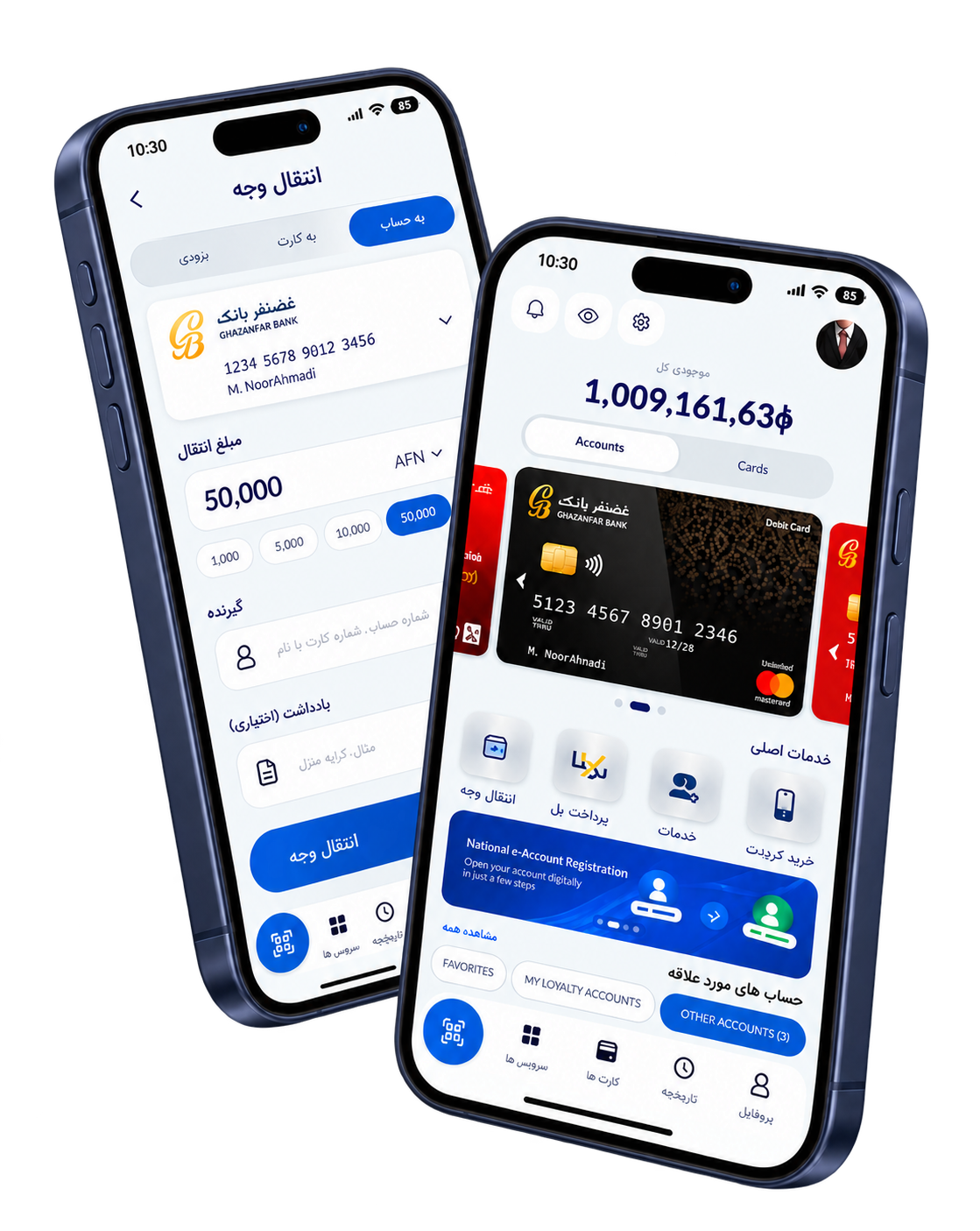
Simple and intuitive 24/7 access to monitor cash flows, transactions, and real-time account balances from any device, anytime.


Using the state-of-the-art OBDX (Oracle Banking Digital Experience) platform, Ghazanfar Bank's Internet Banking enables you to access your accounts securely from any device, anytime, anywhere.
Discover the powerful features of Ghazanfar Bank Internet Banking
Simple and intuitive 24/7 access to monitor cash flows, transactions, and real-time account balances from any device, anytime.
Perform internal transfers within Ghazanfar Bank, domestic/local fund transfers, international payouts, and bulk transfers (Corporate Accounts).
View, print, and email real-time account statements for up to one year. Generate customized statements as needed.
Accessible from PC, tablet, and smartphones — bank when and where you want to, fully on your own schedule.
Multiple authorization layers for corporate accounts, secure login, and advanced encryption keep your funds and data fully protected.
Request and block cheque books and cards online. Set up standing instructions, schedule future transfers, and save favourite beneficiaries.
Understand the published features and prepare for a conversation with our team.
Explore banking servicesGhazanfar Bank Internet Banking, powered by OBDX (Oracle Banking Digital Experience), provides 24/7 secure access to your accounts, enabling you to perform fund transfers, generate statements, manage cheque books, and monitor real-time balances — all from any device, anywhere in the world.
Your internet banking account is protected by multiple layers of security. Please follow these guidelines to keep your account safe at all times.
Under no circumstances should you reveal your Personal Identification Number (PIN) to anyone. Ghazanfar Bank will never ask you to disclose your PIN.
Ghazanfar Bank Internet Banking is available to all existing account holders — both individual and corporate — with active accounts.
For specific eligibility requirements or special circumstances, please contact your nearest Ghazanfar Bank branch.
To register for Internet Banking, please visit your nearest Ghazanfar Bank branch or send an email request. Having the following ready will speed up the process. To register for Internet Banking, please visit your nearest Ghazanfar Bank branch or send an email request. Having the following ready will speed up the process.
You may also register by emailing db@ghazanfarbank.com or info@ghazanfarbank.com from your registered email address to receive and complete the form.
Transparent, one-time registration pricing for individual and corporate Internet Banking users.
Fees are subject to change. Please contact your nearest branch for the latest pricing information.
Transparent pricing for all Internet Banking registration and transaction services
All charges are subject to change with prior notice to customers. Transaction fees for fund transfers are as per the bank's standard schedule.
| Service | Charges |
|---|---|
| Individual User Registration (One-Time) | USD 5.00 |
| Corporate User Registration (One-Time) | USD 10.00 |
| Password Reset Fee | USD 1.00 |
| Account Statement (up to 1 year) | Free |
| Internal Fund Transfer (within Ghazanfar Bank) | Free |
| Domestic / Local Fund Transfer | As per bank schedule |
| International Payout | As per bank schedule |
Open the bank's original documents and discuss the right form with your branch.
Get answers to common questions about Ghazanfar Bank Internet Banking registration, features, and security.
Ghazanfar Bank Internet Banking is available to all existing account holders — both individual and corporate — with active accounts.
You may also register by emailing db@ghazanfarbank.com or info@ghazanfarbank.com from your registered email address to receive and complete the form.
Fees are subject to change. Please contact your nearest branch for the latest pricing information.
All charges are subject to change with prior notice to customers. Transaction fees for fund transfers are as per the bank's standard schedule.
Experience 24/7 secure access to your Ghazanfar Bank accounts with our state-of-the-art Internet Banking platform powered by OBDX. Manage transfers, generate statements, and control your finances — anytime, anywhere.
Need assistance? Call our customer service at +93 (0) 20 220 2345 or email us at info@ghazanfarbank.af
Product information adapted from Ghazanfar Bank's official internet banking page (opens in a new tab). Confirm current terms and availability with the bank.
Islamic mobile banking app
Experience secure and convenient banking at your fingertips. Manage your accounts, transfer funds, and access Shariah-compliant services anytime, anywhere.